Nothing to calculate
Type your expected amounts once. Every Actual column, KPI box and chart fills itself from your log.
Your money doesn't need to be complicated. This simple, practical Budget Planner helps you see exactly where your money is going, plan ahead and feel in control of your finances
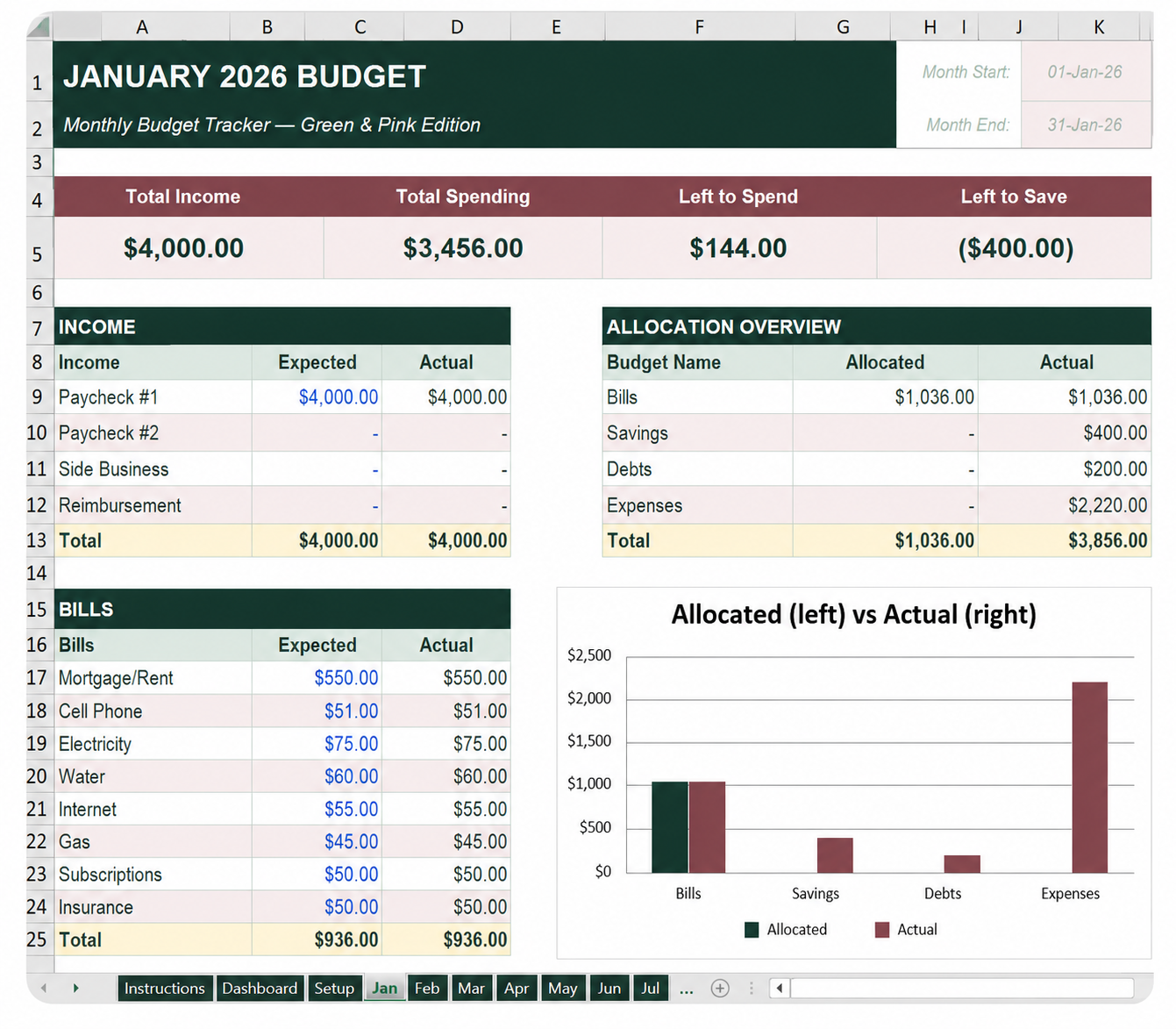
Type your expected amounts once. Every Actual column, KPI box and chart fills itself from your log.
January through December already built, each with its own tables, allocation overview and charts.
Date, category, subcategory and credit card are dropdowns. Click, pick, done — no typos to clean up.
Every Savings entry rolls into a running, year-round view of progress toward each goal.
Every tab is already wired together — the sheets read from your setup and from each other.
Set your budget year in one cell and every monthly sheet updates its date ranges. Edit the category and card lists to match your life.
Income, Bills, Expenses, Savings, Debts and Credit Card Payments — expected vs actual, side by side.
Each month keeps its own log at the bottom of the sheet. Sort or filter anytime to see exactly what Groceries cost you.
Emergency Fund, Car, House, Vacation, Retirement — pulled straight from your logged Savings entries.
Budget vs Actual for every month, running annual totals for income, spending, savings and net.
Blue text means type here. Black text is a formula. Gold fill is a total. You can never break it by guessing.
See the exact layout you'll be using before you buy.
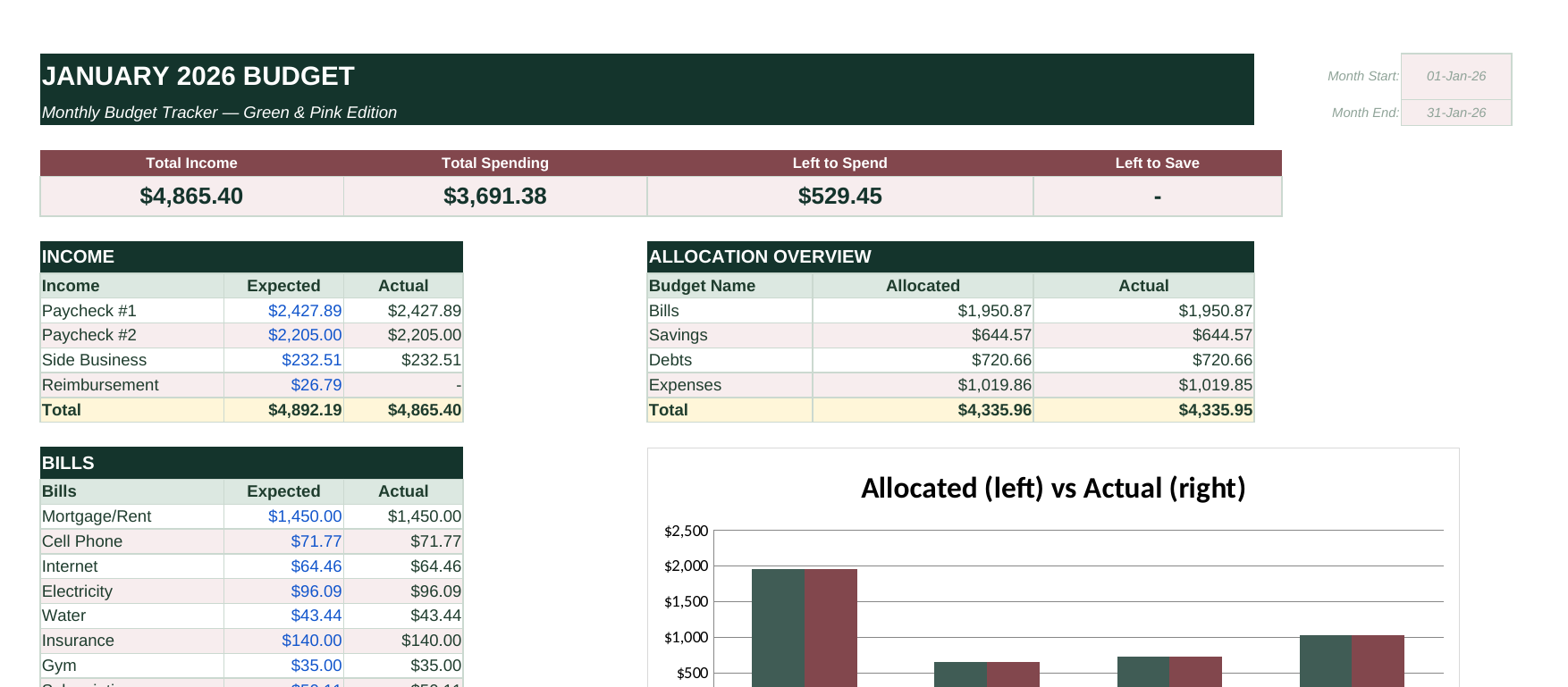
Expected vs actual across Income, Bills, Expenses, Savings & Debts, with a live allocation chart.
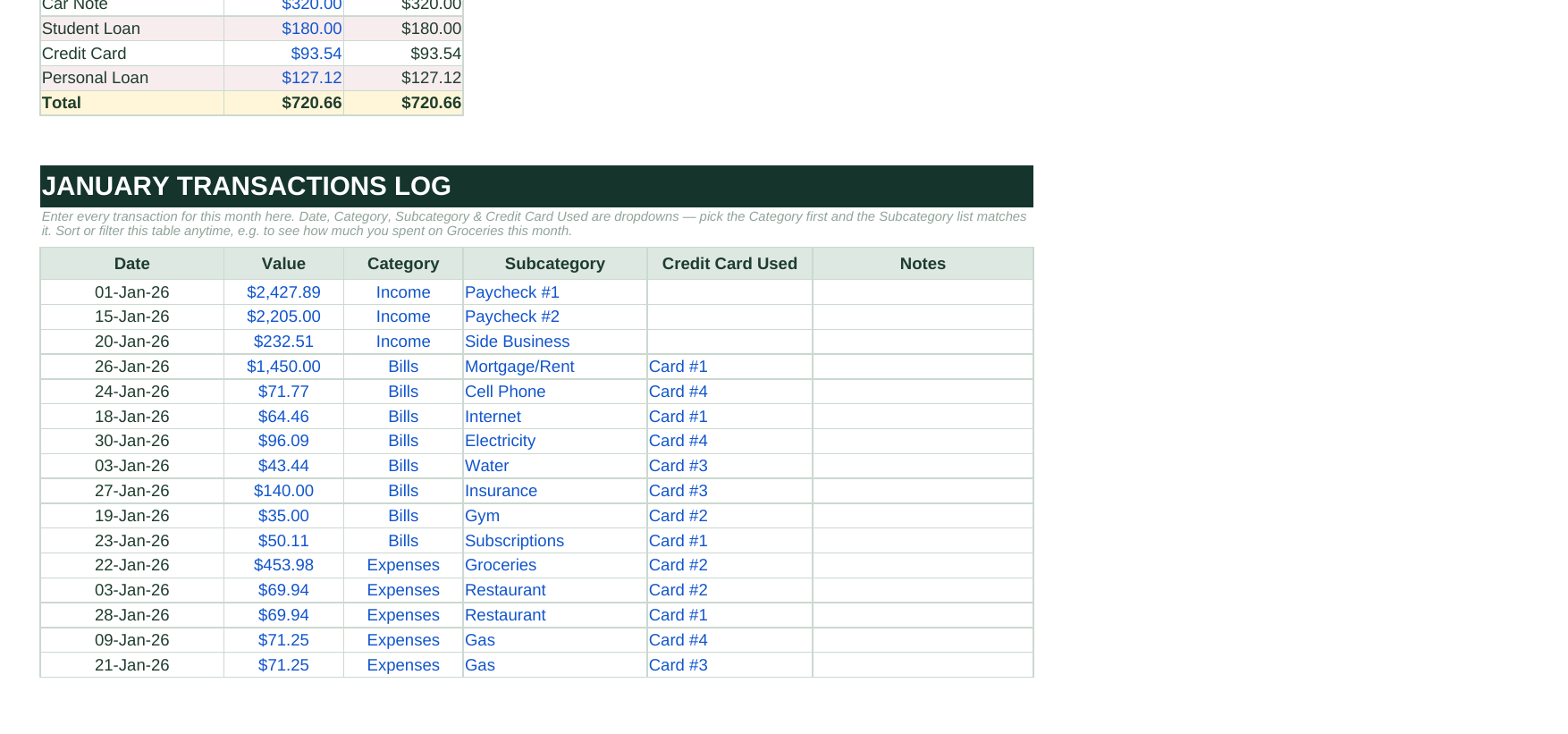
Date, category, subcategory and credit card are dropdowns. Click, pick, done — no typos to clean up.

Year-round progress toward each goal, pulled automatically from every Savings entry.
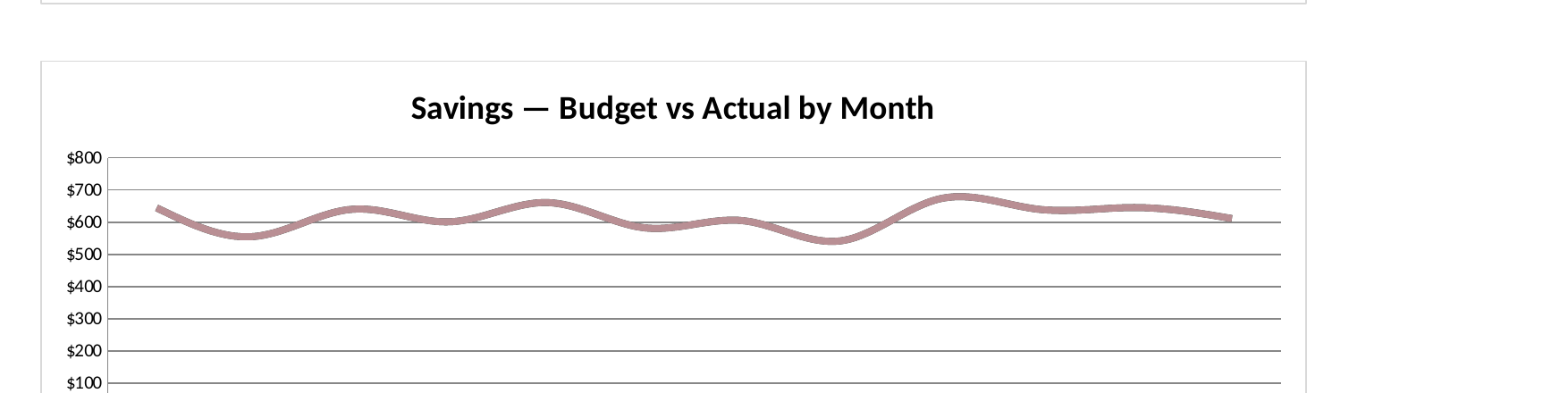
Budget vs Actual for savings month by month, updated the moment you log a transaction.
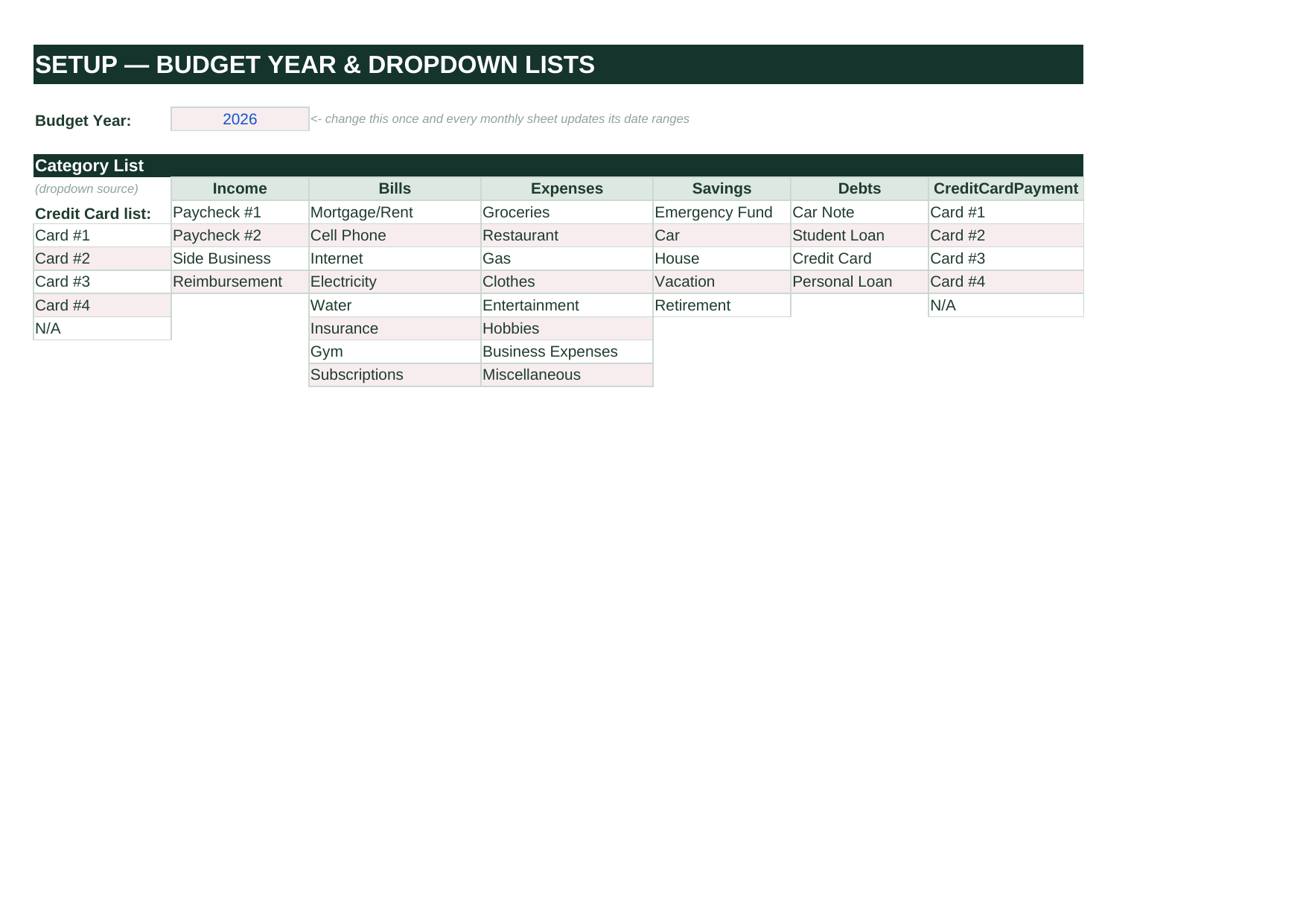
Set the budget year once and customize every dropdown list — categories, subcategories and credit cards.
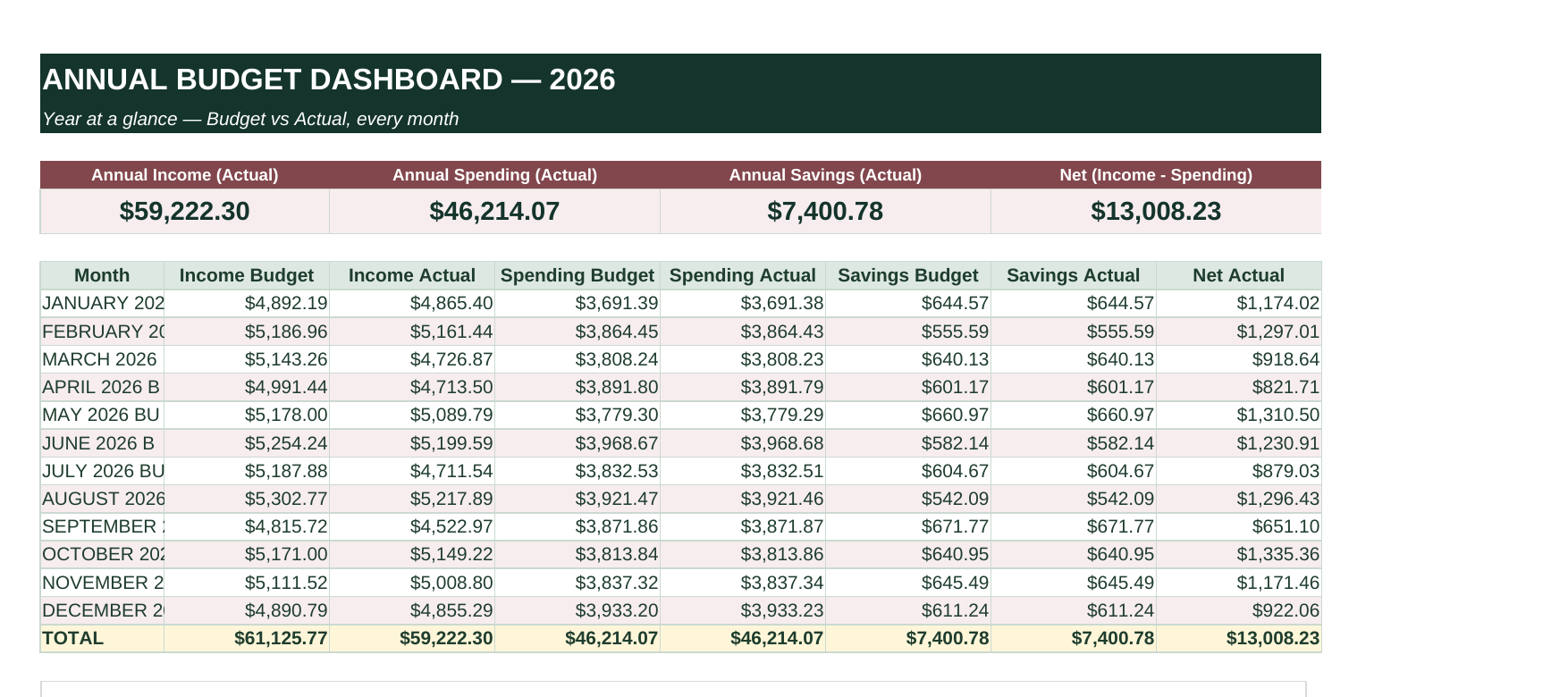
A year-at-a-glance view of budget versus actual across every month, plus running totals.
I've bought four budget templates. This is the first one I've still been using in November. The dropdowns are the whole reason.
Logging a coffee takes five seconds and the dashboard just knows. We finally hit our emergency fund goal.
The colour key sold me. I stopped being afraid of typing in the wrong cell and breaking my own budget.
One file. Download it, set your budget year, and log your first transaction in under five minutes.
Digital download
one-time · no subscription
Buy nowInstant access after checkout
Questions about the planner, need help with your download, or just want to say hello? We read every email.
info@planyourlife.net